
All posts
How to Upgrade Your Workflows with Surf 1.5
An overview Surf 1.5's new features and how to use them.
AnnouncementEducationJan 22, 20264 min read
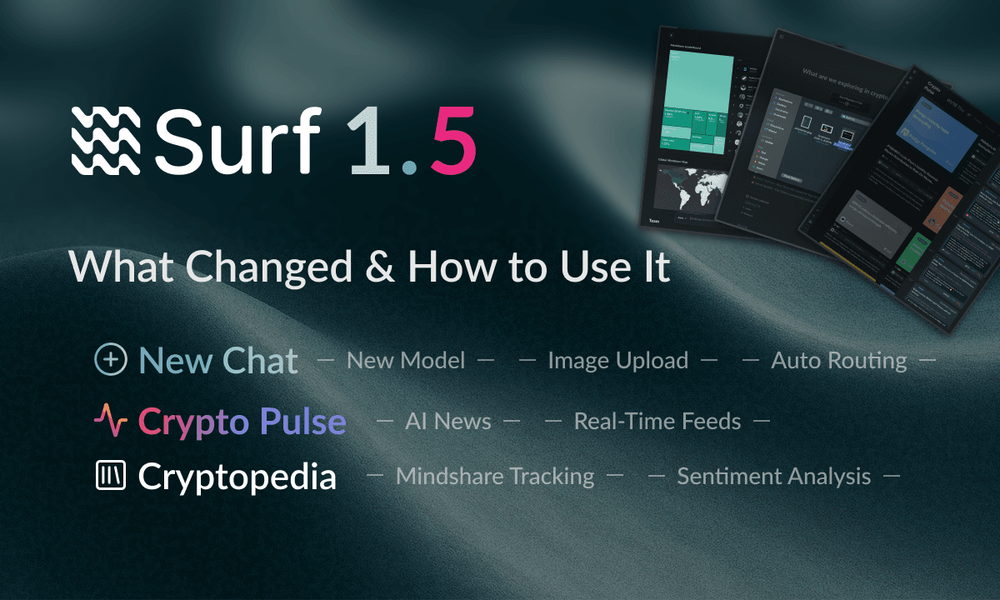
Calling this "1.5" probably undersells it, but we're not ready to call it 2.0 either. We rearchitected the model, restructured how it thinks about crypto problems, and added features you've been asking for.
Think of this as the first version where Surf stops waiting for you to tell it what to do and starts anticipating what you need. Here's what's different, what you should try first, and where to find everything.
The Foundation: A Smarter Model
The biggest change is invisible: we deployed an upgraded model with significantly deeper crypto knowledge and better tool orchestration. What does that actually mean? That Surf can now handles queries that it used to struggle with.
To quantify the difference, we ran both models against an expanded version of the CAIA benchmark with a more difficult problem set and 100+ additional tasks. Surf 1.5 showed a ~10% lift in accuracy while cutting research times by 50% on average compared to v1.0.
That's the difference. Not only faster but more complete, more accurate, and more useful.
Three Ways to Use Surf 1.5
If you're coming back to Surf after using 1.0, here's the new mental model. There are three main areas, each designed for different workflows. Chat has always been your starting point but what's new are two areas that give you intelligence before you even prompt.
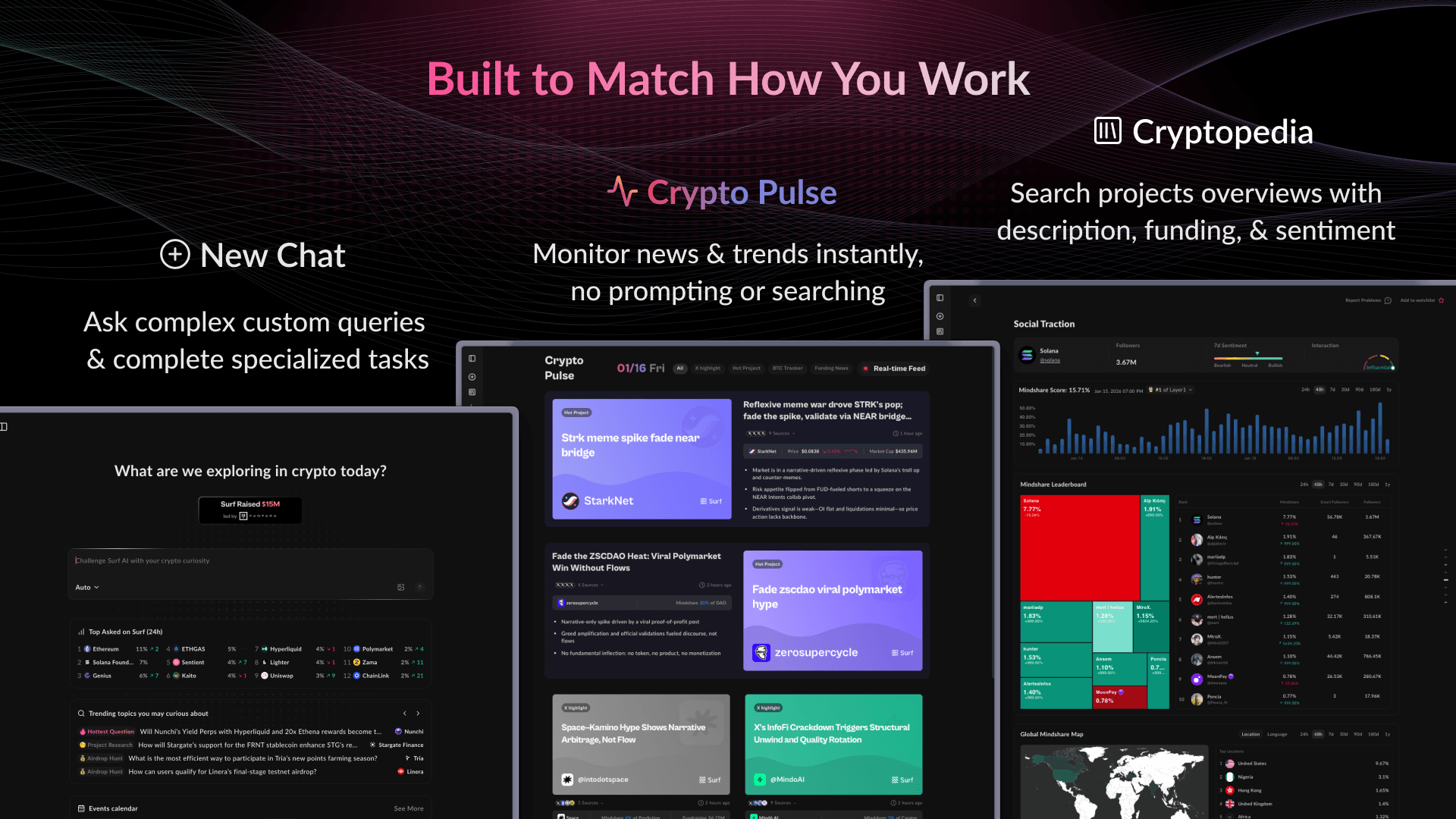
Let's walk through all three and how they work together:
1. Chat - Ask Anything, Now Smarter
This is where you've always started. The difference is now there's:
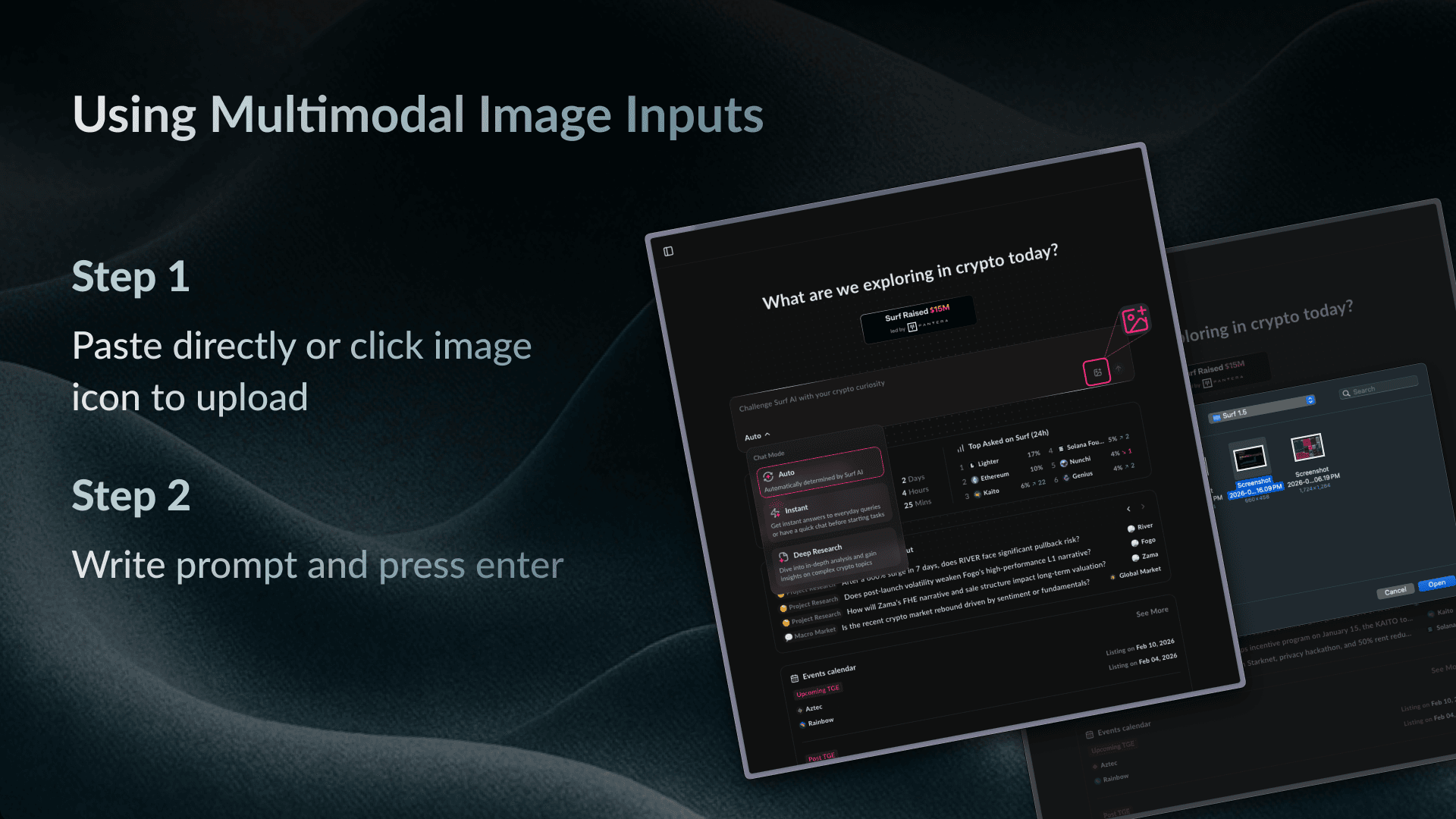
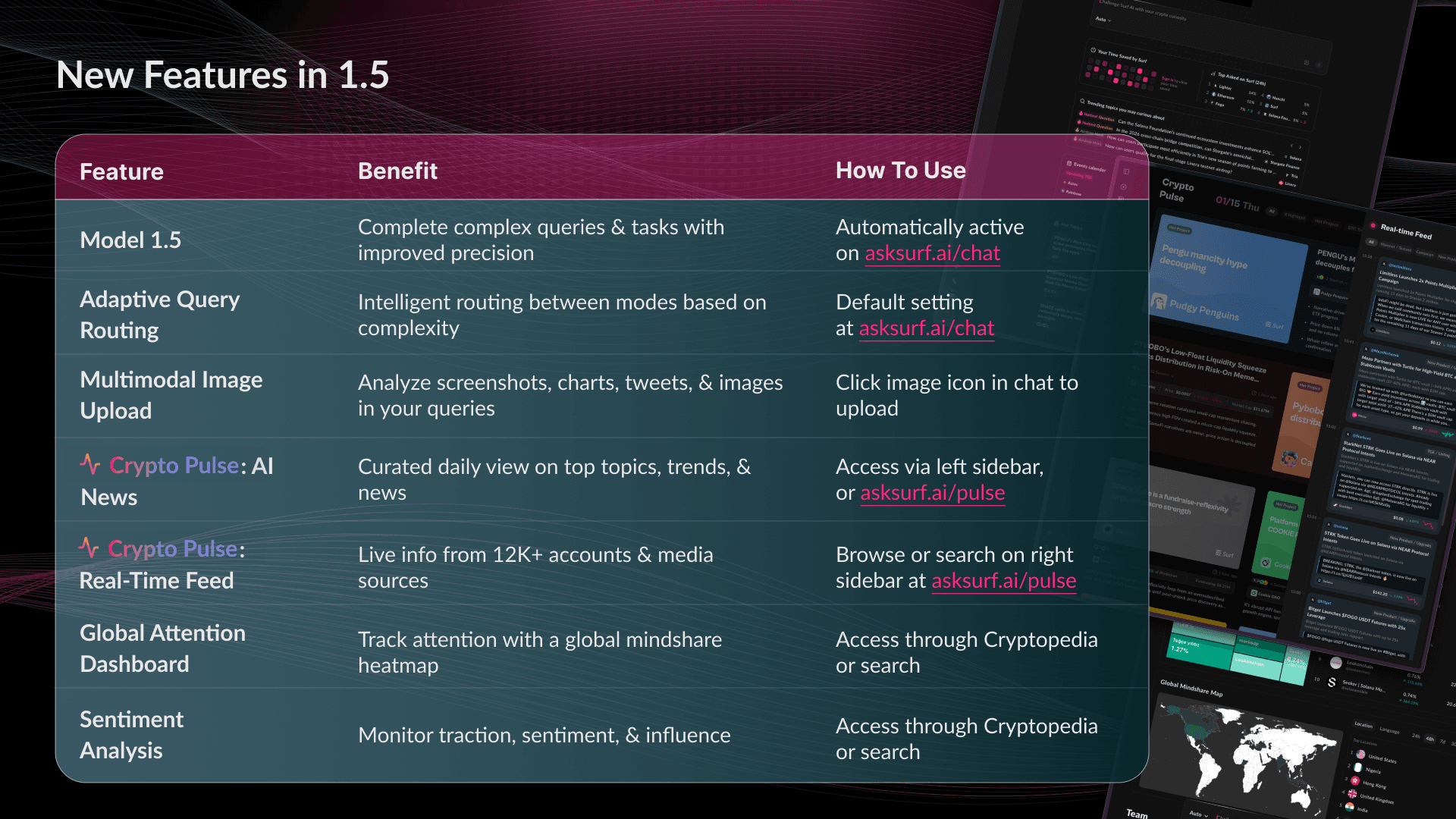
- Multimodal support: Upload screenshots, charts, or images directly into chat. Drop in that viral chart everyone's discussing and ask Surf to analyze it.
- Adaptive routing: Surf automatically chooses between instant mode (for quick lookups) and deep research mode (for complex analysis) based on your query. You can still choose manually, but the default is smarter now.
2. Crypto Pulse - Stay Current Without Asking
New in 1.5. This is how you start your day without staring at an empty prompt box wondering what to ask.
- AI News: Curated daily summaries of top topics, trends, and market-moving information. Skim for an overview or click through for instant deep dives.
- Real-Time Feed: Monitors 12,000+ accounts and media sources continuously. Shows you what's happening right now, as it happens.
3. Cryptopedia - Comprehensive Project Overviews
Search any project and get a standardized overview of everything that matters. We've upgraded this with two new features:
- Global Attention Dashboard: A visual heatmap showing where in the world a project is getting attention. Track attention in real time.
- Sentiment Analysis: Monitor traction, sentiment, and influence at a glance without switching platforms.
What You'll See When You Log In
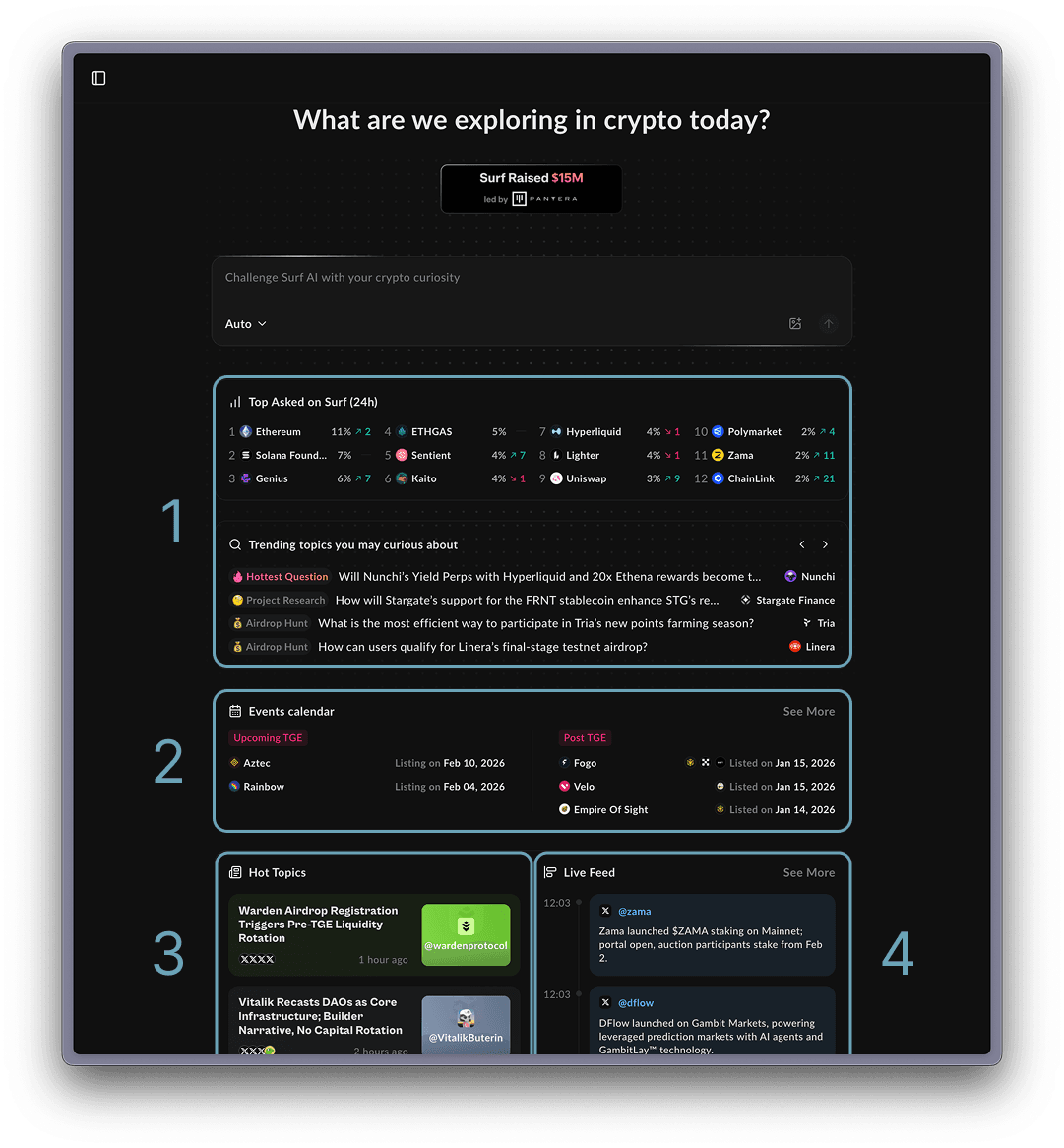
Instead of an empty chat box, you'll now see four sections that give you context before you even ask a question:
- Trending Questions & Projects – What others are researching
- TGE Calendar – Upcoming token events so you don't miss launches
- Hot Topics – What industry leaders are discussing
- Live Feed – Real-time news and conversations as they happen
Each of these connects to deeper features (Cryptopedia for projects, Pulse for news). Think of this screen as your starting point - whether you want to explore what's trending or jump straight to a specific query.
The Features That Change How You Work
Upload Anything, Ask Anything
You can now paste or upload images directly into chat. This was one of your most-requested features, and it unlocks entirely new workflows:
- Screenshot a debate thread → ask Surf to analyze the argument
- Upload a price chart → get technical analysis with context
Intelligence Before You Ask For It
The Crypto Pulse monitors thousands of media outlets and market sources to surface market-moving information as it happens. You can think of it like having a personal analyst reading crypto news all day, then compiling what matters most so you can quickly scan it and dive deeper when you care.
Project Perception in Real Time
The new Global Attention Dashboard and Sentiment Analysis tools show you how a project is being perceived across the crypto ecosystem. Want to know if that new project is gaining traction in Korea? Check the geographic heatmap on the project's page. Wondering if sentiment is flipping on a protocol before it shows up in price? The sentiment tracker shows you.
This is how you understand momentum before it becomes obvious.
What You Should Try First
Don't just read about the changes - try them. Here are three things to do right now:
- Upload a screenshot: Take any crypto chart or post you've been thinking about and drop it into chat. Ask Surf what it means.
- Check the AI News or Real-Time Feed: Open Crypto Pulse and see what's moving markets right now without writing a single prompt.
- Run a complex query: Ask something you know 1.0 struggled with. Watch how 1.5 handles it differently.
The Full Feature List
For reference, here's everything new in 1.5:
Surf 1.5 is live now at asksurf.ai. We're not calling this 2.0 because that's still the goal, an AI that fully replaces complex crypto workflows instead of just augmenting them. But this is a major step. The moment where Surf stops being a tool that waits for instructions and starts being intelligence that anticipates what you need.
Time to see the difference.
